
安装部署
VVCMS配置Nginx访问
Nginx 是一款高性能的 网页服务器 / 反向代理服务器,现在全网用得最多、最流行的 Web 软件。本文介绍了如何使用Nginx转发VVCMS来通过域名访问
2026-05-04
20
什么是Nginx
Nginx 是一款高性能的 网页服务器 / 反向代理服务器,现在全网用得最多、最流行的 Web 软件。
1. 它的三大核心作用
静态资源服务器 托管 HTML、CSS、JS、图片、视频,直接发给浏览器,速度极快、省资源。 ②
2. 反向代理(最常用) 用户访问 Nginx,Nginx 把请求转发给后端程序: 比如你的 Go / Python / Java / Node 项目 用户只知道域名,不知道后端真实地址 隐藏后端服务、安全、解耦
3. 负载均衡 后端部署多台服务器,Nginx 自动把用户请求分给不同机器,分担压力、防止单点挂掉。 额外附加功能: 配置 HTTPS 证书 域名跳转、防盗链、限速、缓存 跨域配置
安装Nginx
root@ecs-989b:~# apt install nginx
Reading package lists... Done
Building dependency tree... Done
Reading state information... Done
The following package was automatically installed and is no longer required:
  linux-image-6.1.0-9-amd64
Use 'apt autoremove' to remove it.
The following additional packages will be installed:
  nginx-common
Suggested packages:
  fcgiwrap nginx-doc ssl-cert
The following NEW packages will be installed:
  nginx nginx-common
0 upgraded, 2 newly installed, 0 to remove and 1 not upgraded.
Need to get 641 kB of archives.
After this operation, 1,696 kB of additional disk space will be used.
Do you want to continue? [Y/n] y
Get:1 http://repo.huaweicloud.com/debian bookworm-proposed-updates/main amd64 nginx-common all 1.22.1-9+deb12u5 [113 kB]
Get:2 http://repo.huaweicloud.com/debian bookworm-proposed-updates/main amd64 nginx amd64 1.22.1-9+deb12u5 [529 kB]
Fetched 641 kB in 0s (1,295 kB/s)
Preconfiguring packages ...
Selecting previously unselected package nginx-common.
(Reading database ... 50532 files and directories currently installed.)
Preparing to unpack .../nginx-common_1.22.1-9+deb12u5_all.deb ...
Unpacking nginx-common (1.22.1-9+deb12u5) ...
Selecting previously unselected package nginx.
Preparing to unpack .../nginx_1.22.1-9+deb12u5_amd64.deb ...
Unpacking nginx (1.22.1-9+deb12u5) ...
Setting up nginx-common (1.22.1-9+deb12u5) ...
Created symlink /etc/systemd/system/multi-user.target.wants/nginx.service → /lib/systemd/system/nginx.service.
Setting up nginx (1.22.1-9+deb12u5) ...
Upgrading binary: nginx.
Processing triggers for man-db (2.11.2-2) ...
设置Nginx开机启动,并启动
root@ecs-989b:~# systemctl enable nginx
Synchronizing state of nginx.service with SysV service script with /lib/systemd/systemd-sysv-install.
Executing: /lib/systemd/systemd-sysv-install enable nginx
root@ecs-989b:~# systemctl start nginx
测试访问80端口
oot@ecs-989b:~# curl http://127.0.0.1
<!DOCTYPE html>
<html>
<head>
<title>Welcome to nginx!</title>
<style>
html { color-scheme: light dark; }
body { width: 35em; margin: 0 auto;
font-family: Tahoma, Verdana, Arial, sans-serif; }
</style>
</head>
<body>
<h1>Welcome to nginx!</h1>
<p>If you see this page, the nginx web server is successfully installed and
working. Further configuration is required.</p>

<p>For online documentation and support please refer to
<a href="http://nginx.org/">nginx.org</a>.<br/>
Commercial support is available at
<a href="http://nginx.com/">nginx.com</a>.</p>

<p><em>Thank you for using nginx.</em></p>
</body>
</html>
配置Nginx域名+80端口访问转发
root@ecs-989b:~# cd /etc/nginx/conf.d/
root@ecs-989b:/etc/nginx/conf.d# ls
root@ecs-989b:/etc/nginx/conf.d# touch vvcms.conf
root@ecs-989b:/etc/nginx/conf.d# vim vvcms.conf
root@ecs-989b:/etc/nginx/conf.d# cat vvcms.conf
server {
    listen       80;
    server_name  test.vvcms.cn; ## 我这里设置的子域名,你们自己设置
    charset utf-8;
    location / {
        proxy_set_header X-Forwarded-For $remote_addr;
        proxy_set_header Host            $host;
        proxy_set_header   X-Forwarded-Proto $scheme;
        proxy_pass http://127.0.0.1:8000;
    }
}
重载配置
root@ecs-989b:/etc/nginx/conf.d# nginx -s reload
2026/05/04 16:59:49 [notice] 47391#47391: signal process started
DNS解析到你的服务器外网ip(dns解析设置,不会的自行找资料,太低级了)
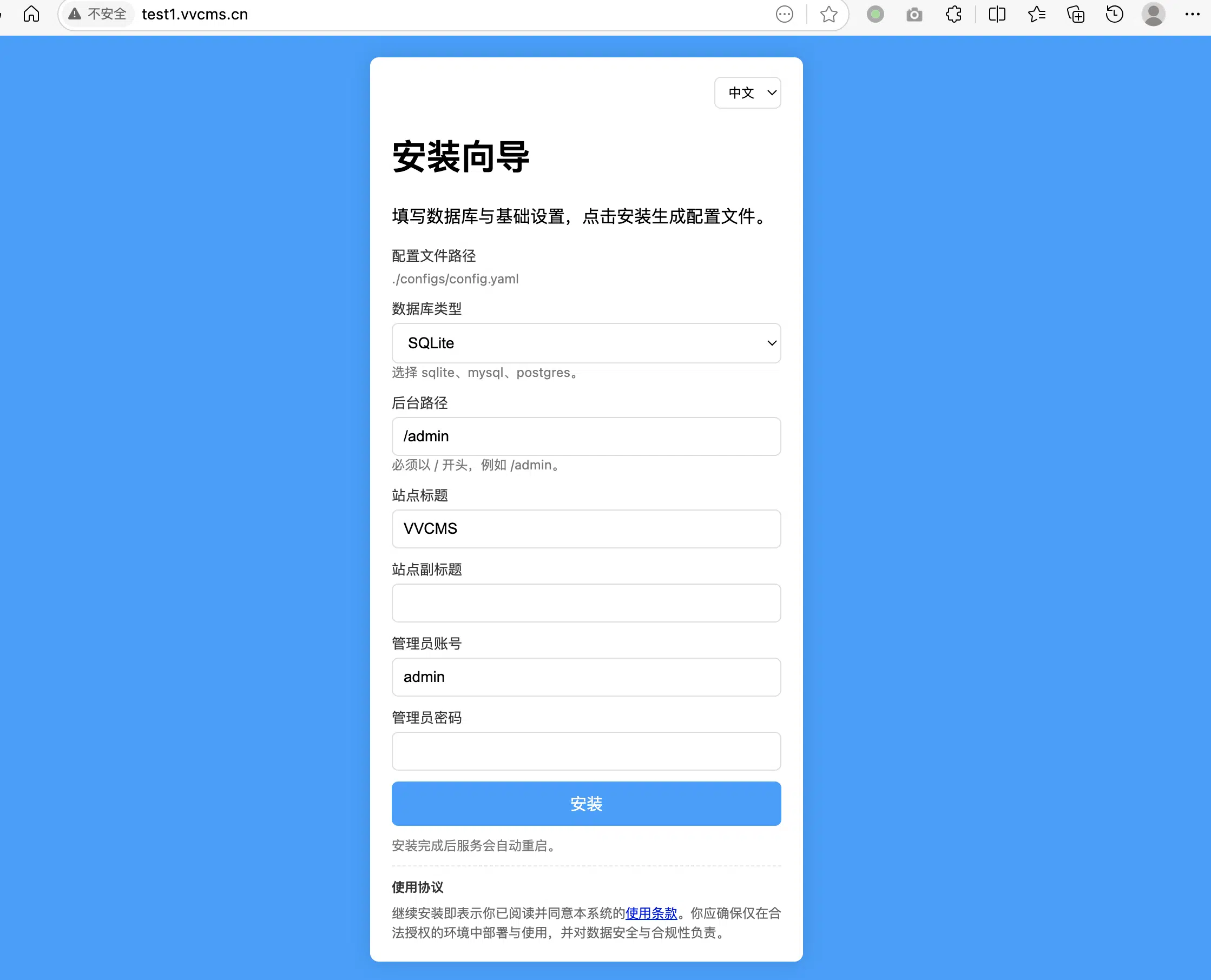
测试访问
通过证书来访问
如果你需要通过https来访问,在Nginx中需要改进一下配置,包括端口改为443,增加证书
server {
    listen 443 ssl;
    server_name oss.vvcms.cn;

    ssl_certificate /opt/vvcms/Nginx/fullchain.pem  ;
    ssl_certificate_key /opt/vvcms/Nginx/privkey.pem;

        ssl_session_cache   shared:SSL:1m;
        ssl_session_timeout 5m;
        ssl_ciphers ECDHE-RSA-AES128-GCM-SHA256:ECDHE:ECDH:AES:HIGH:!NULL:!aNULL:!MD5:!ADH:!RC4;
        ssl_protocols TLSv1 TLSv1.1 TLSv1.2;
        ssl_prefer_server_ciphers on;
        underscores_in_headers on;

    location / {
        proxy_pass http://127.0.0.1:8000;
        proxy_set_header Host $host;
        proxy_set_header X-Real-IP $remote_addr;
        proxy_set_header X-Forwarded-For $proxy_add_x_forwarded_for;
    }
}